
Description
Odoo is a lightweight ERP platform widely used by small and medium-sized businesses. When a company sells products on WooCommerce while also managing internal operations—such as inventory, orders, and accounting—in Odoo, common challenges inevitably arise. These include synchronizing stock levels and product prices from Odoo to the website, as well as ensuring that order data from WooCommerce is accurately entered into Odoo for inventory deduction, revenue recognition, and accounting processes.
Our plugin seamlessly connects these two platforms, enabling automatic data synchronization. This helps you save time, eliminate manual work, and ensure absolute data accuracy across your systems.
Odoo Version compatibility
- Odoo online: from version v13
- Odoo.sh: from version v13
- Odoo On Premise: from version v13
Features
- Sync or match your WooCommerce product to Odoo product.
- Sync Woocommerce order to Odoo sales order and/or Invoice.
- Create payment when WooCommerce order is paid.
- Manual sync or automatic sync when an order is created/paid/completed.
- Sync stock quantity and price real time from Odoo back to WooCommerce.
- Compatible with WooCommerce High-Performance Order Storage (HPOS).
Screenshot
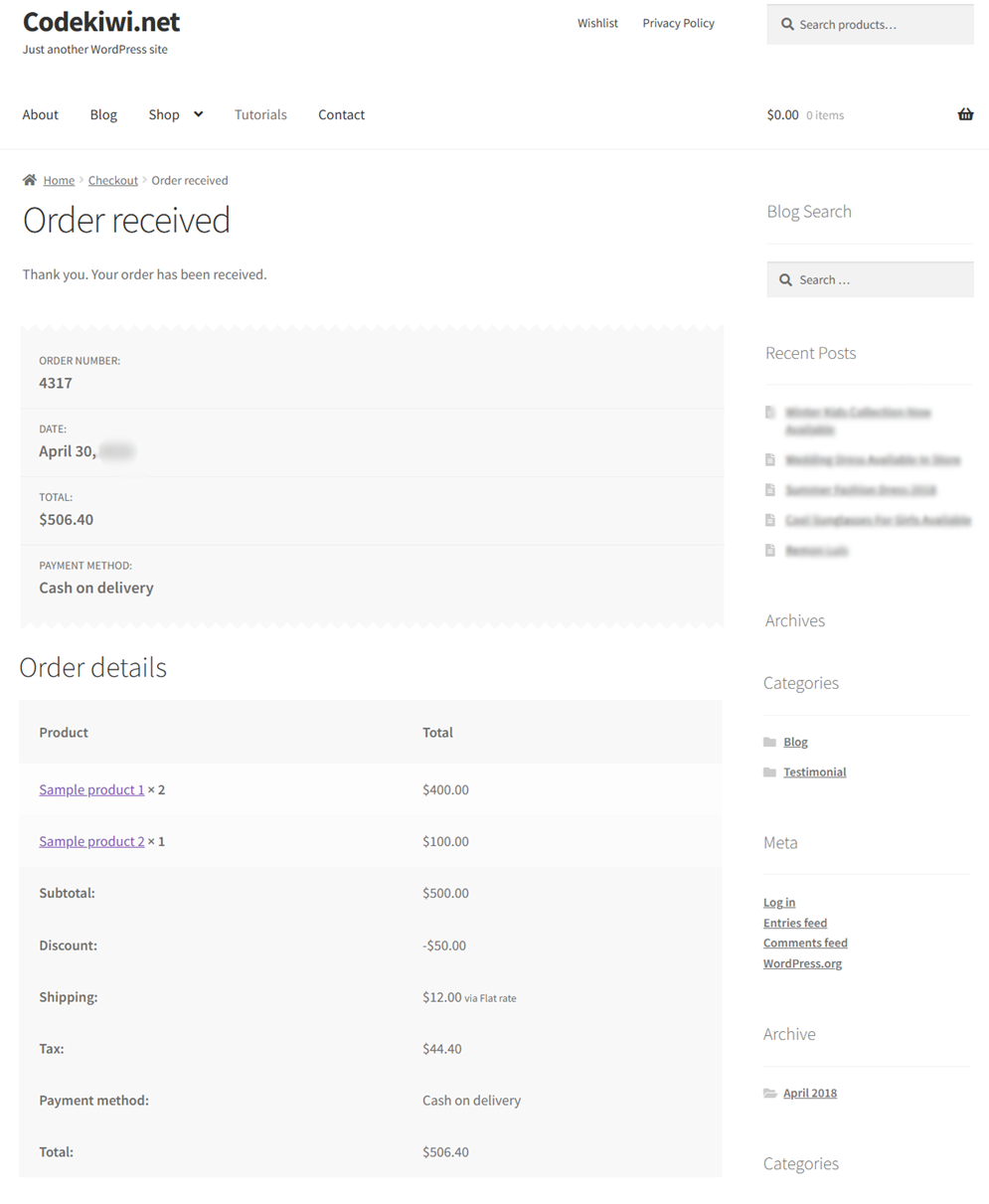
First, when a customer places an order on the WooCommerce storefront, everything works exactly as it did before installing the plugin—there is absolutely no difference.
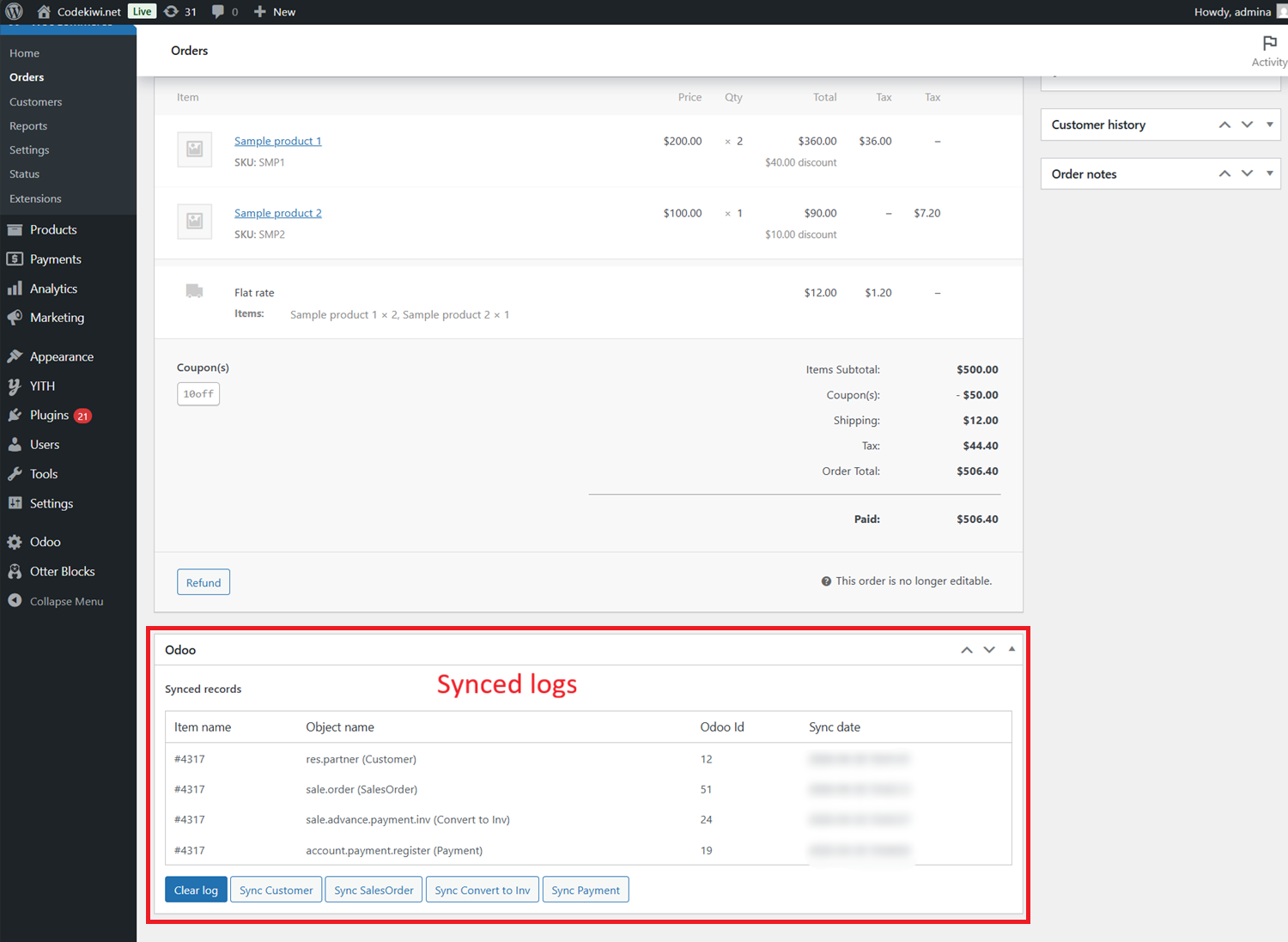
Immediately after the order is created on the backend, you have two configuration options: Automatic Sync Mode and Manual Sync Mode.
In Automatic Sync Mode, you can choose which event triggers the synchronization—such as when a customer places an order, when the payment is completed, or when the order status changes to Completed. Data objects like Quotation, Sales Order, Invoice, and Payment will be created automatically, with no manual action required on your part.
In Manual Sync Mode, simply click “Sync Customer”, “Sync Invoice”, or “Sync Payment” to send the WooCommerce order to the corresponding objects in Odoo.
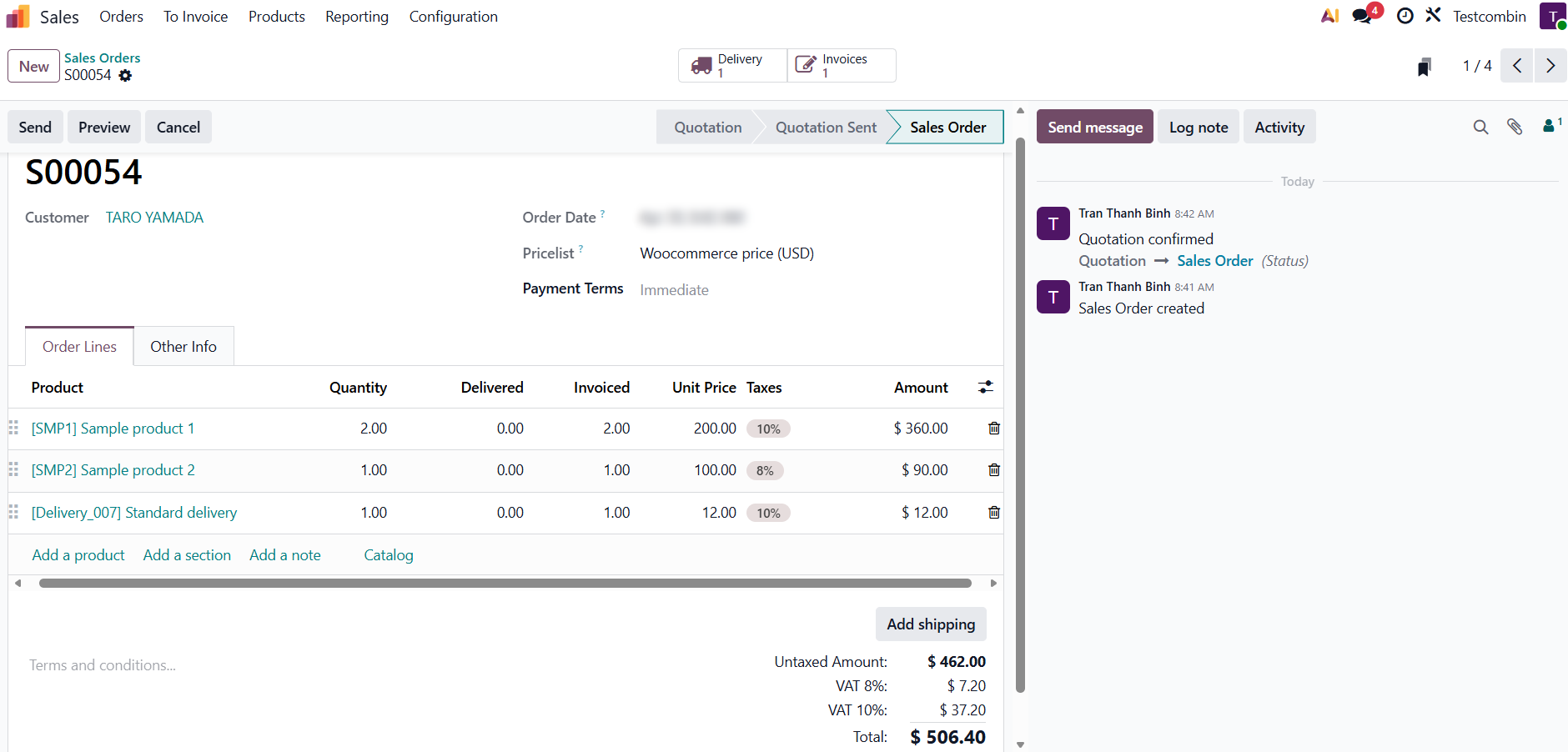
Here is the Odoo Sales Order after synchronization.
Here is the Invoice automatically generated from the Sales Order by our plugin.
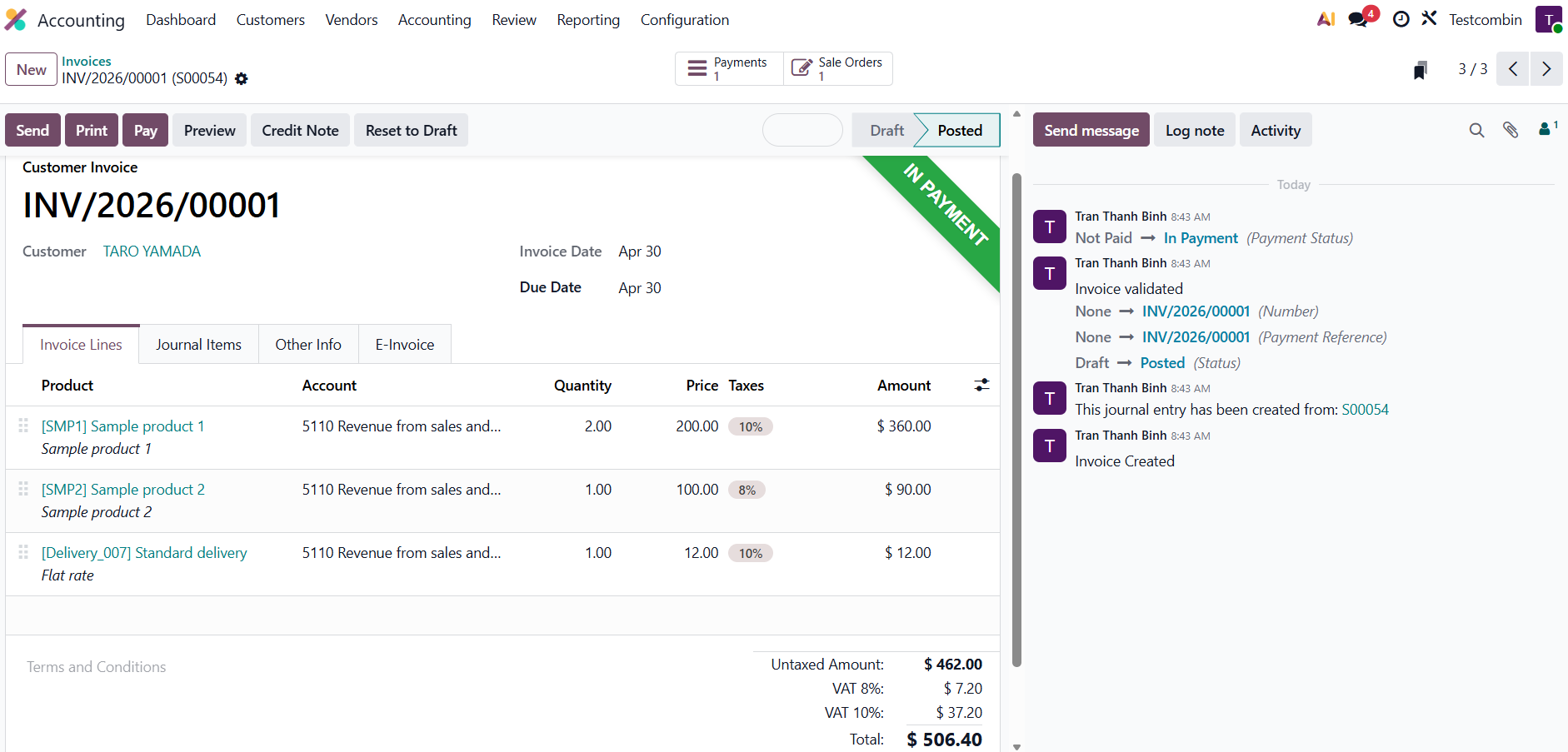
The payment is also recorded automatically.
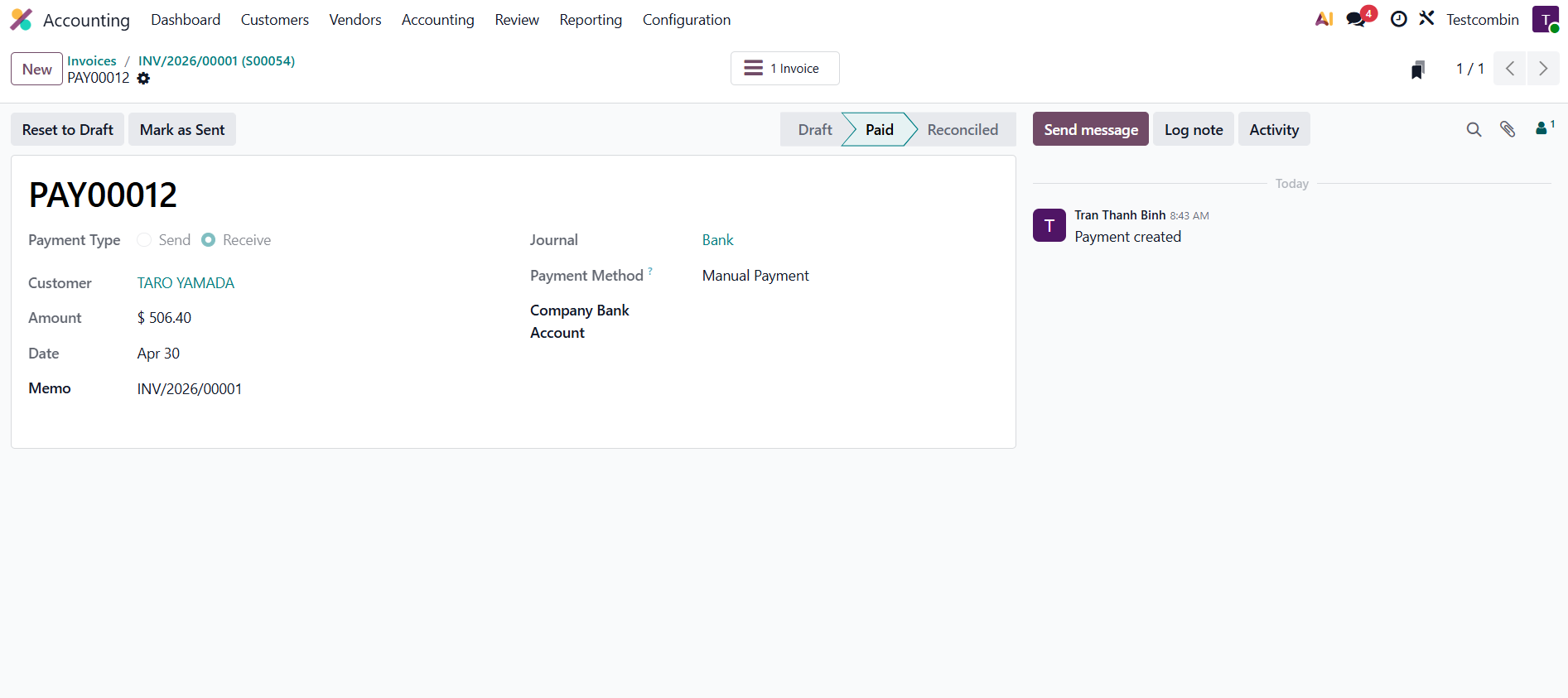
Syncing past order data
The plugin includes batch sync tool that helps you sync past orders. You simply select the order created date range, and this tool will run automatically in the background.
Two-way stock and price sync
This plugin can automatically updates item quantities and price from WooCommerce to Odoo and from Odoo back to WooCommerce, running real time in the background.
Installation requirement
- PHP 5.6 or above.
- WordPress 4.9 or above.
- Woocommerce 3.0 or above.
Support
- One year for plugin update and ticket support.
- Free installation service.



Reviews
There are no reviews yet.