

Description
This WooCommerce Sage 300 Integration Plugin is a connector plugin that enables seamless two-way data synchronization between WooCommerce and Sage 300 ERP. It helps businesses streamline operations by automating the synchronization of inventory levels, product pricing, sales orders, invoices, and payments, reducing manual data entry and saving valuable time in day-to-day management.
Features
- Create a Sage 300 A/R customers from WooCommerce order billing data.
- Create Sage 300 O/E Sales Order from WooCommerce order.
- Create Sage 300 O/E OE Shipment + OE Invoice from WooCommerce order.
- Create Sage 300 Payment when an order is paid or completed.
- Flexible tax mapping: Our advanced tax mapping matrix provides complete flexibility between WooCommerce and Sage 300. Even if multiple tax types are applied to a single order or individual order line in WooCommerce, the integration accurately maps and synchronizes all tax data to Sage 300.
- Support syncing shipping cost, fees, and discounts.
- Automatically detects existing customers in Sage to prevent creating duplicate customers: automatically detects existing customer records in Sage 300 and intelligently matches them, preventing the creation of duplicate customer accounts
- Support syncing past (historical) order data: built-in migration tools allow you to synchronize historical WooCommerce orders to Sage 300 in the background
- Two-way stock and price sync: create WooCommerce products directly from Sage 300 inventory items and keep stock quantities and price synchronized in near real time between both systems.
Screenshot
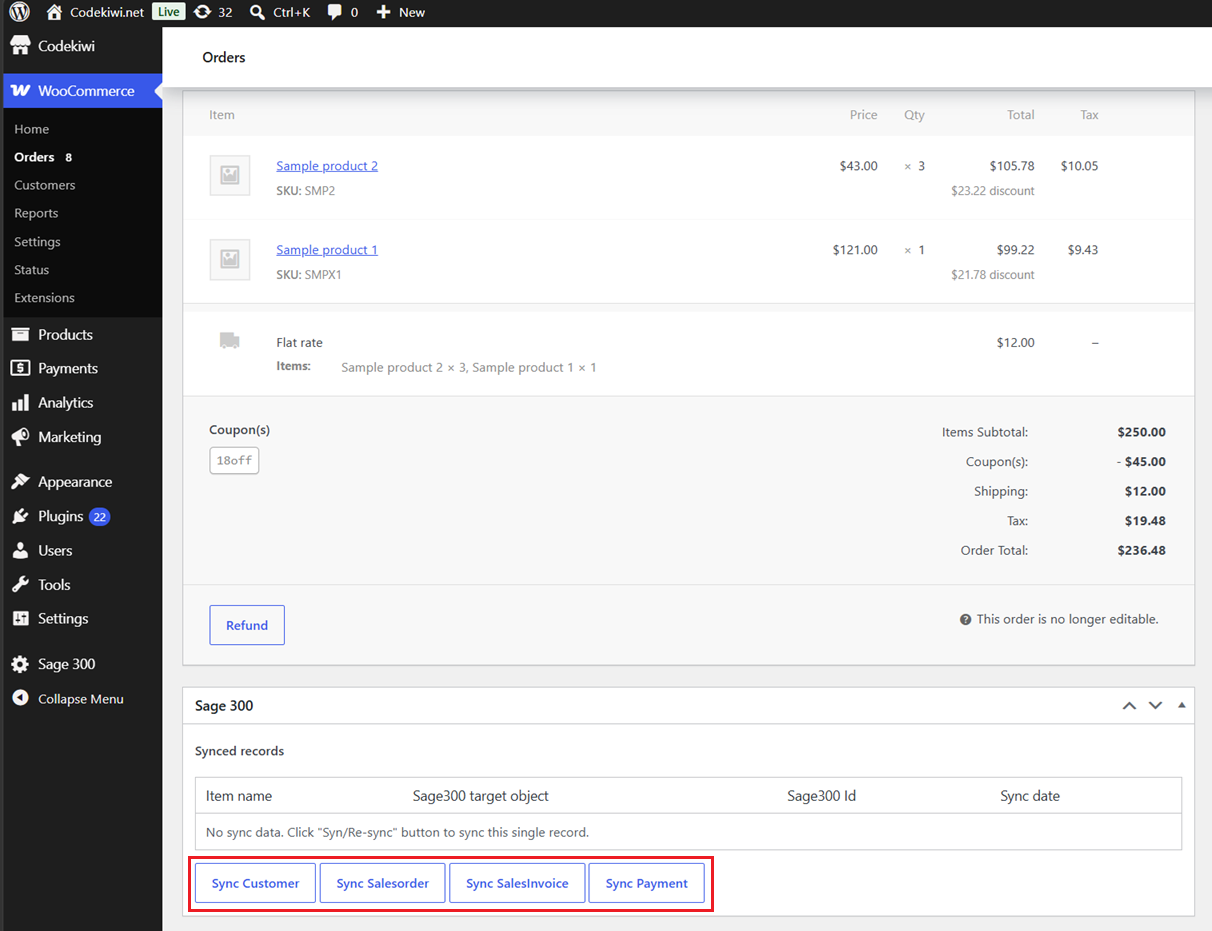
Our plugin supports two synchronization modes: automatic and manual.
In automatic mode, you can choose which event will trigger the sync, such as when the customer places an order, when the payment is completed, or when the order status changes to completed.
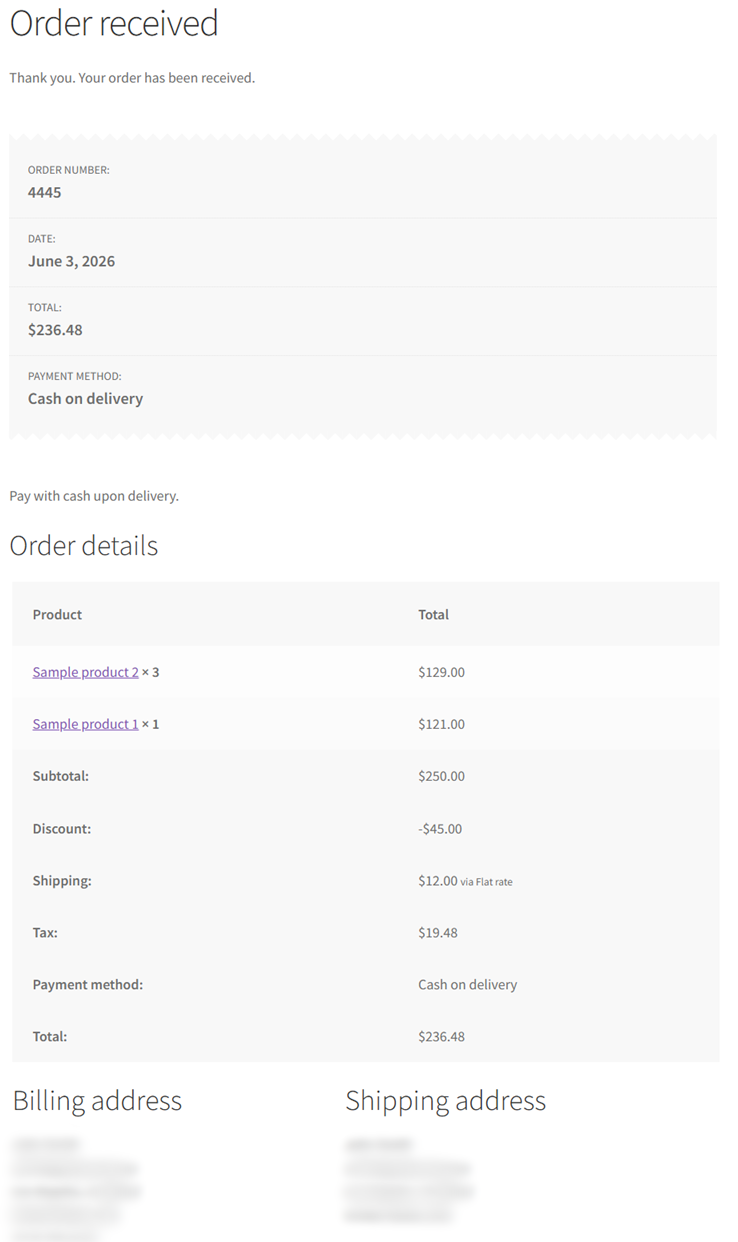
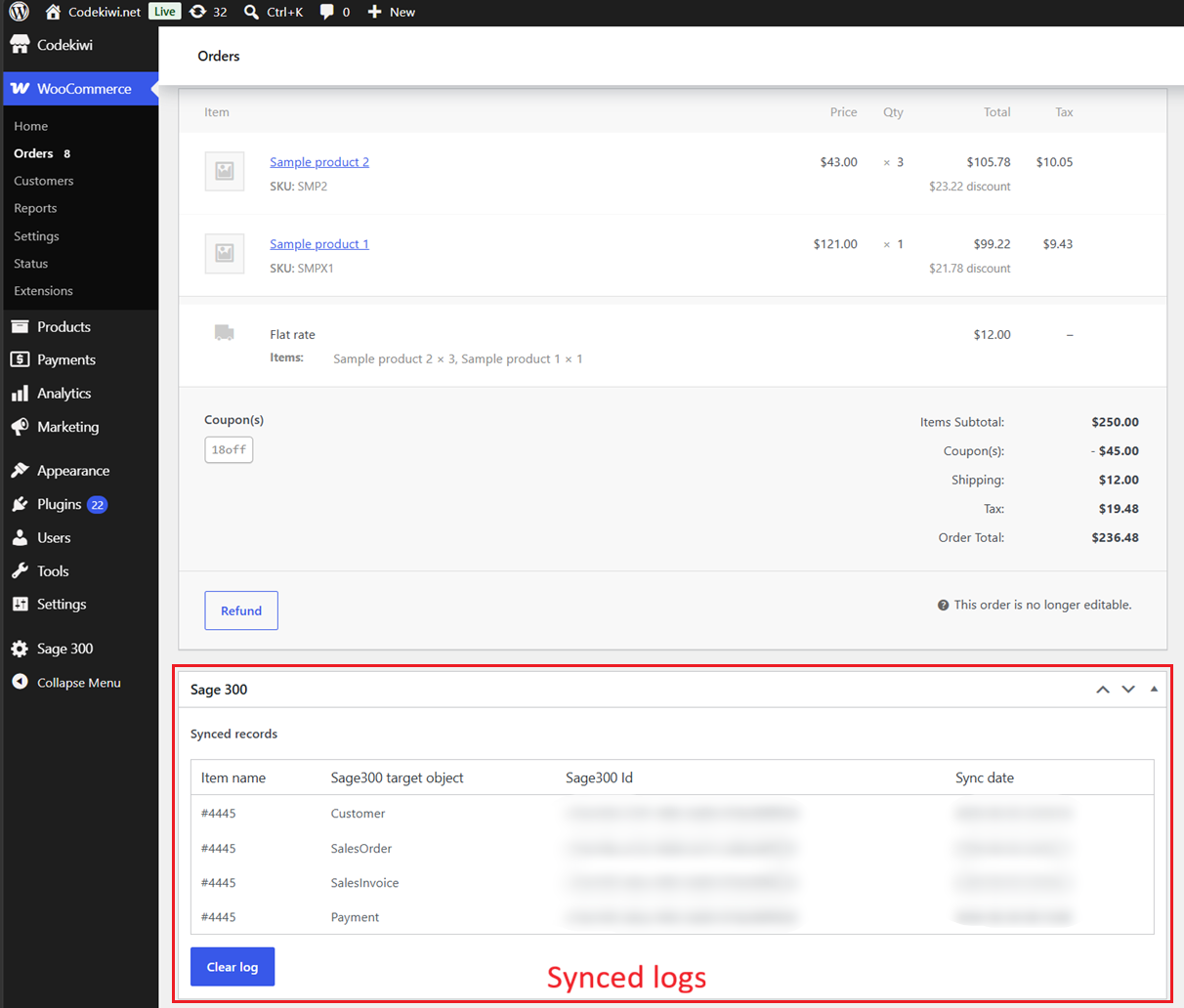
In manual mode, click “Sync Customer”, “Sync Invoice”, or “Sync Payment” to send WooCommerce order to desired object on Sage:
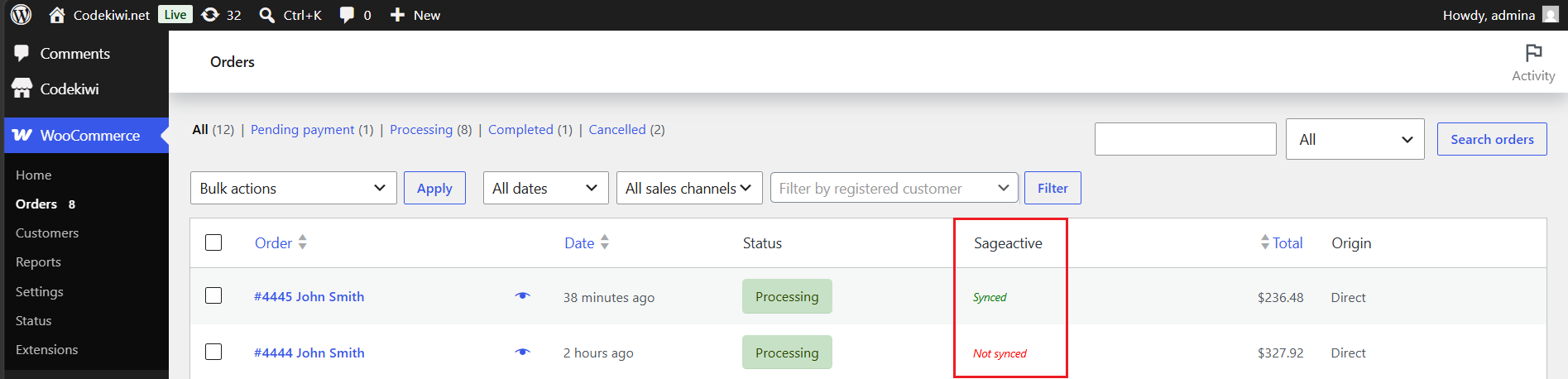
Filter orders by sync status
If you want to view only orders that have been synced or haven’t been synced, at the WooCommerce orders page, select synced/un-synced at the dropdown and apply filter:
Syncing past order historical data
The plugin includes batch sync tool that helps you sync past orders. You simply select the order created date range, and this tool will run automatically in the background.
Two-way stock and price sync
This plugin enables two-way stock syncing between WooCommerce and Sage 300. It automatically updates item quantities from WooCommerce to Sage 300 and from Sage 300 back to WooCommerce, running seamlessly in the background.
Installation requirement
- PHP 5.6 or above.
- WordPress 4.9 or above.
- Woocommerce 3.0 or above.
Support
- One year for plugin update and ticket support.
- Free installation service.



Reviews
There are no reviews yet.