

Description
SAP Business One is an ERP system designed for small and medium-sized enterprises, supporting end-to-end business processes such as finance, accounting, purchasing, sales, and inventory management.
In many cases, businesses use SAP Business One for internal management while operating an online store using WooCommerce. This creates a need for reliable data synchronization between the two platforms, including product inventory, pricing, customer information, and sales orders.
Our WooCommerce SAP Business One Integration plugin addresses this requirement by enabling automated, bi-directional data synchronization. It ensures data consistency across systems, reduces manual workload, and improves operational efficiency.
SAP Version compatibility
- SAP Business One (HANA) version 9.2 or later
- SAP Business One (MSSQL) version 10.0 or later
Features
- Sync or match your WooCommerce product to SAP B1 item.
- Sync Woocommerce order to SAP B1 order and/or AR Invoice.
- Create payment when WooCommerce order is paid.
- Manual sync or automatic sync when an order is created/paid/completed.
- Sync stock quantity from SAP inventory back to WooCommerce.
- Compatible with WooCommerce High-Performance Order Storage (HPOS).
Screenshot
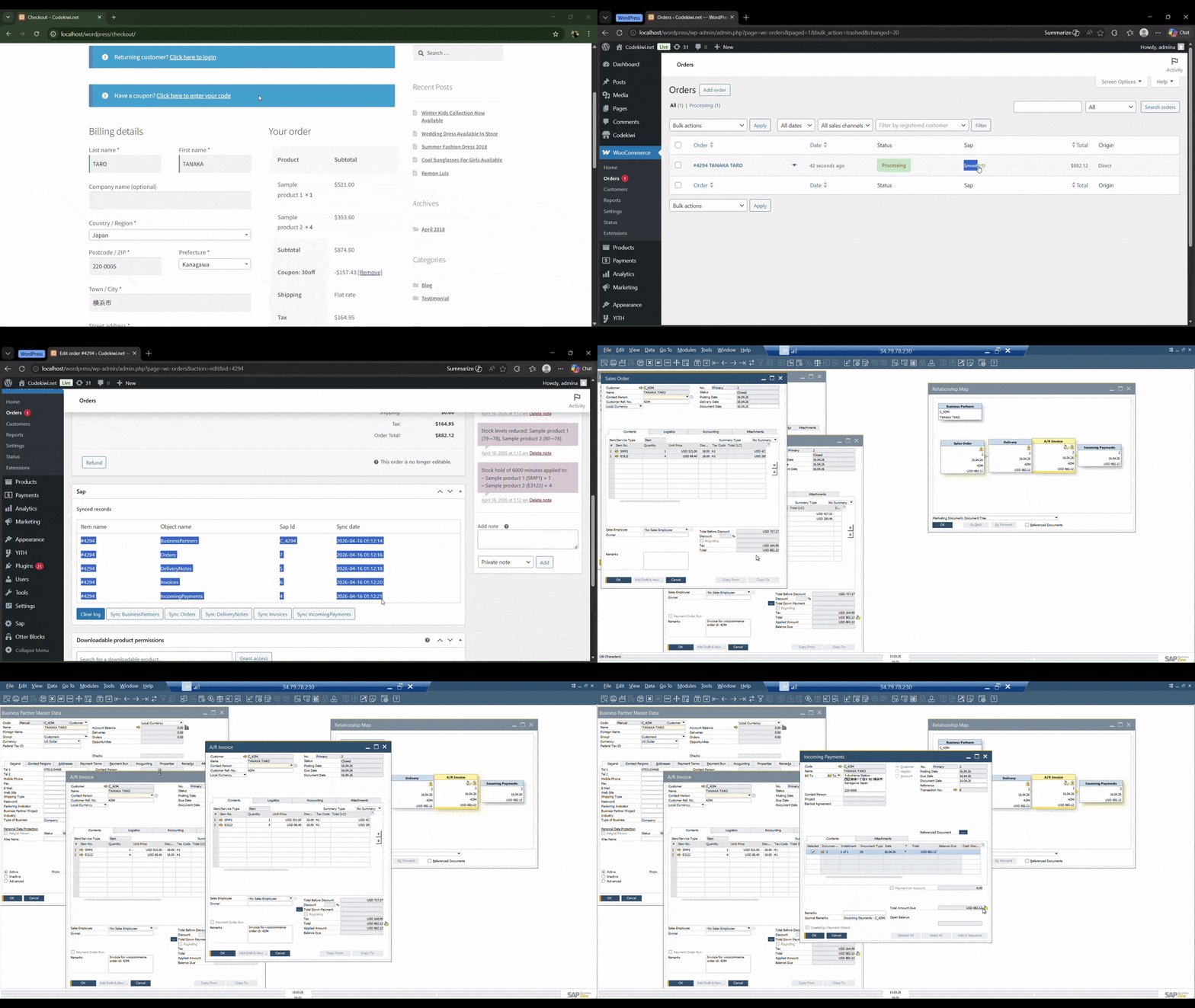
You can choose either Automatic Sync or Manual Sync, depending on your company’s requirements.
Automatic sync mode
In Automatic Sync mode, data is sent to SAP automatically based on the events you configure. For example, you can configure the plugin to create a SAP Sales Order when a WooCommerce order is placed. When the order status changes to Paid or Completed, you can configure the plugin to automatically create the remaining SAP documents, such as Delivery, Invoice, and Payment.
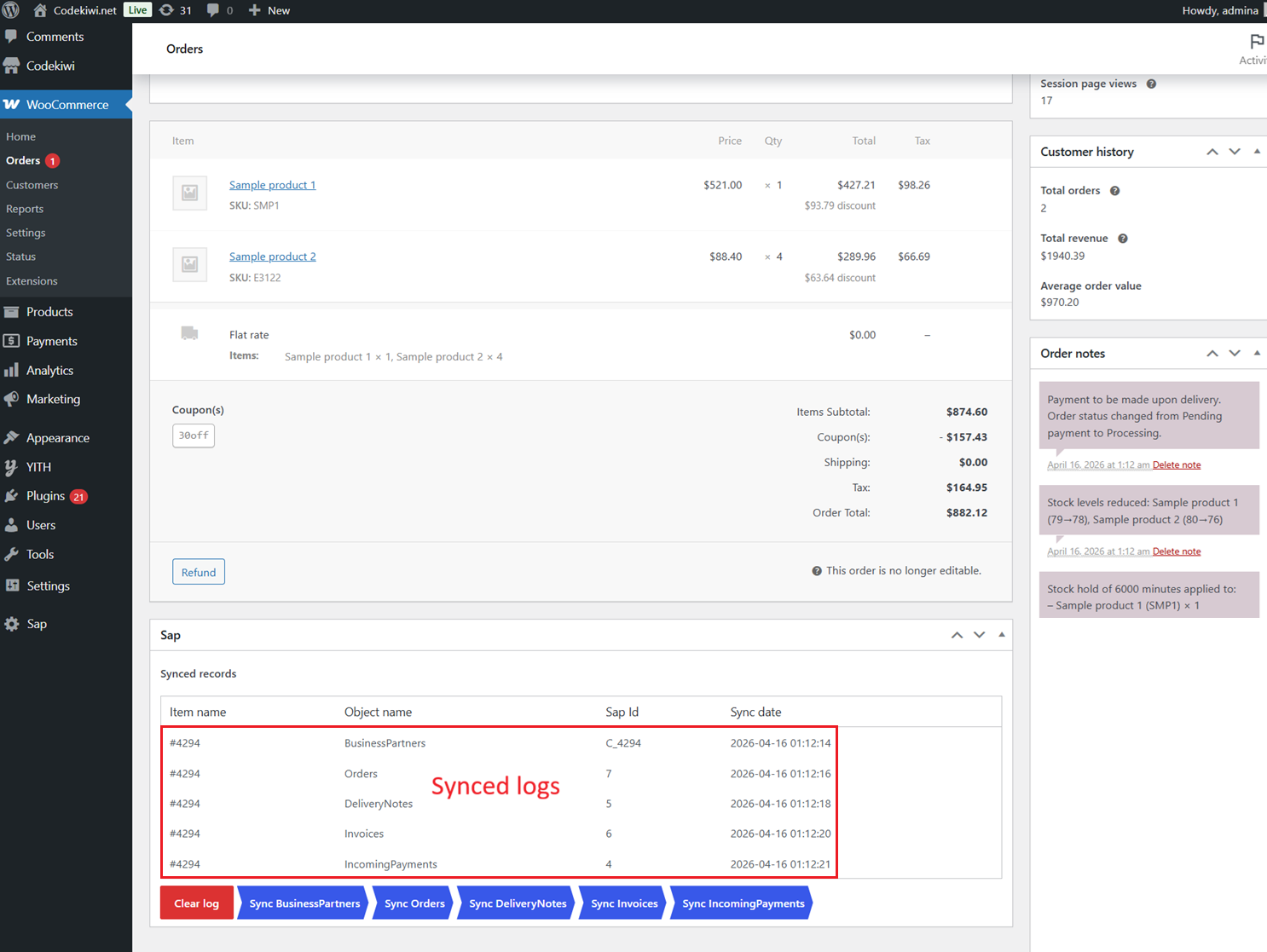
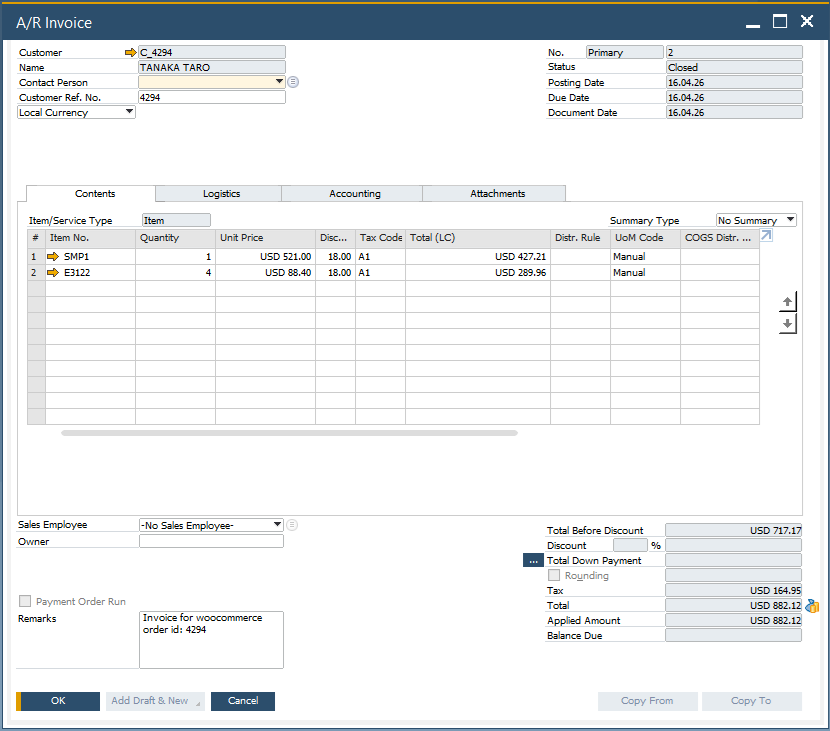
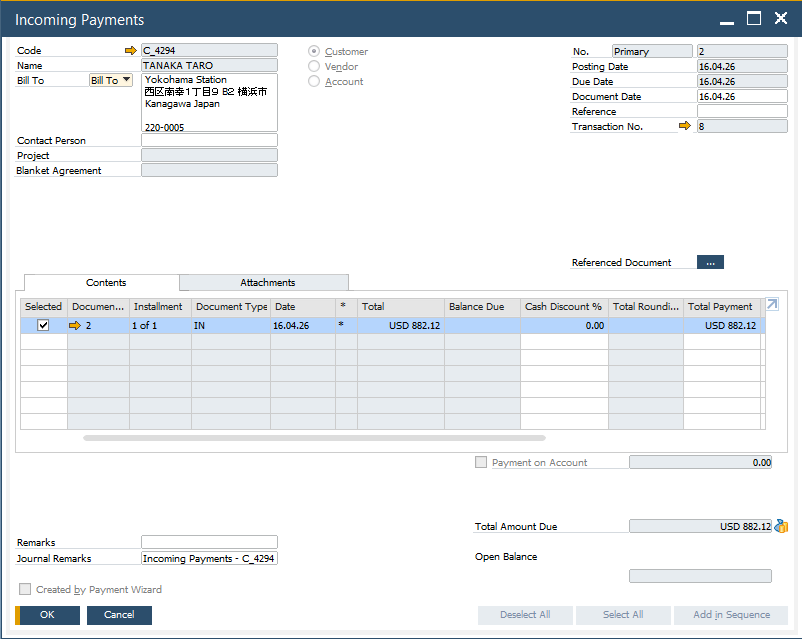
The screenshots below illustrate how the synchronization process works. For example, with the configuration above, once a customer places an order and completes the payment, the corresponding SAP documents are synchronized automatically in sequence. Each WooCommerce order includes a Sync Logs section that records the entire synchronization history, including the corresponding SAP record IDs and the date and time of each synchronization:
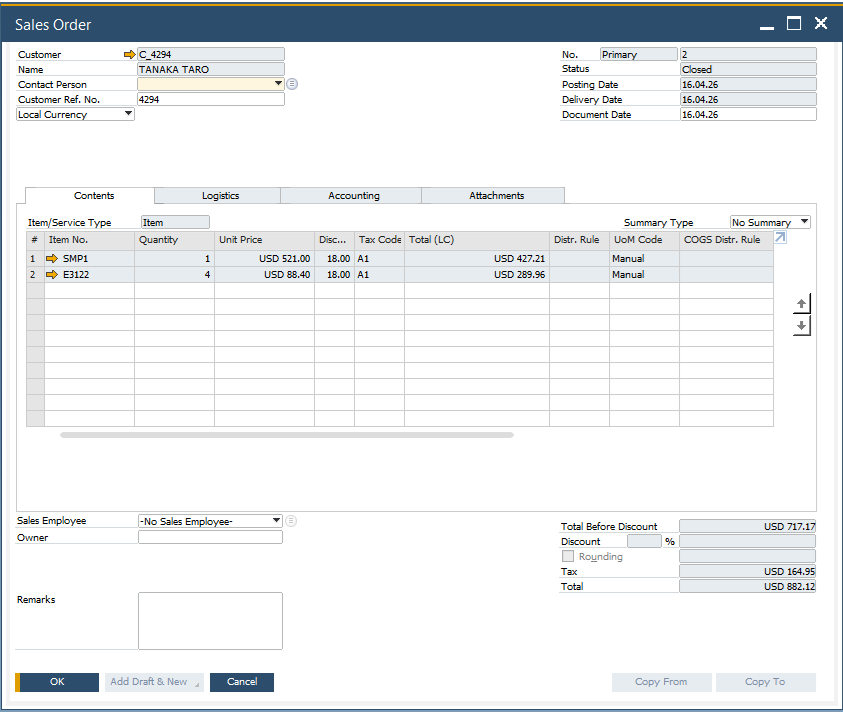
Synced sales order:
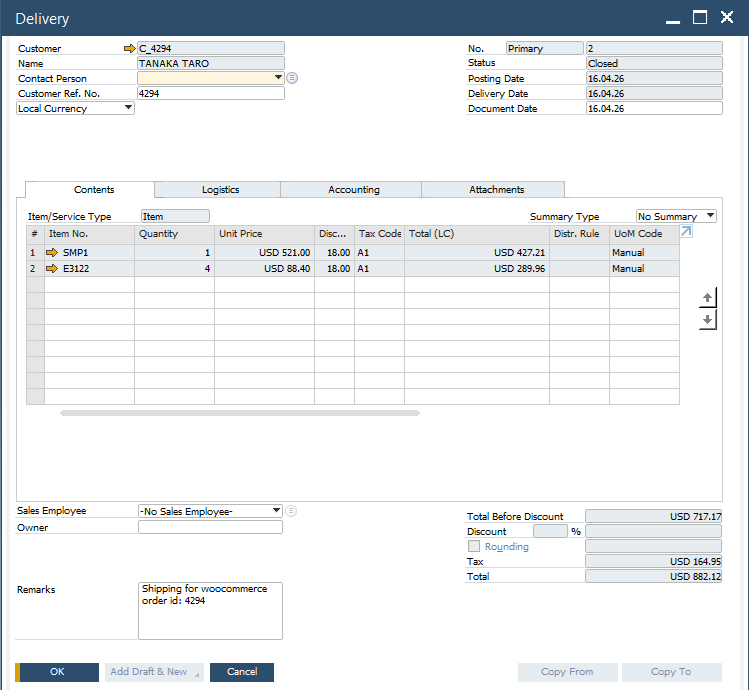
Synced delivery:
Synced invoice:
Recorded payment:
Manul sync mode
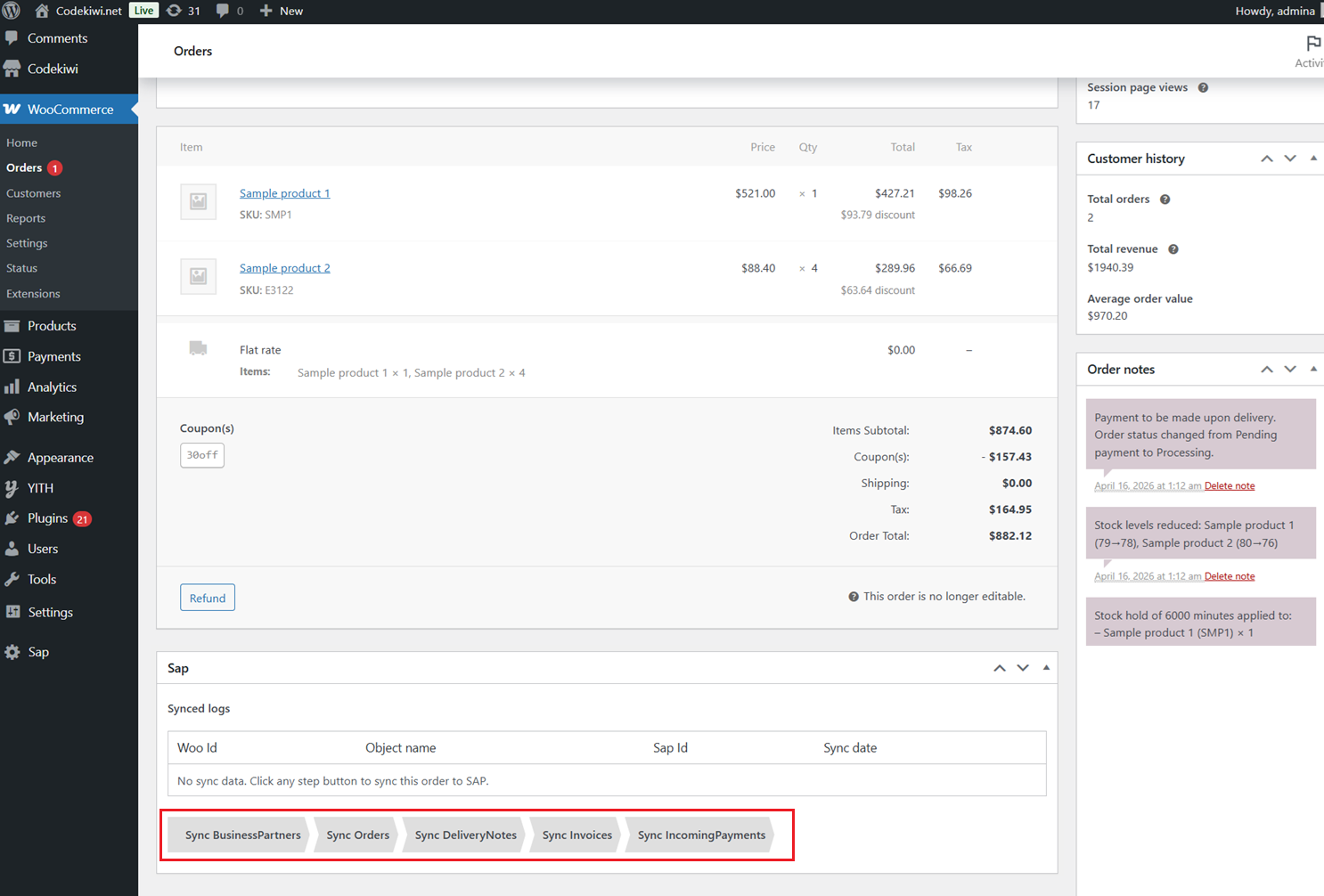
If you don’t want automatic sync, you can disable it and manually sync by clicking any step, as shown below. Any previous steps that have not been synchronized will be synced automatically first.
Two-way-sync
The plugin allows you to bulk import WooCommerce products from SAP Business One product. It also syncs pricing and inventory levels from SAP B1 back to WooCommerce in real time.
Sync historical data
Need to import existing data into SAP? Simply select a date range, and the plugin will batch sync all products and orders created during that period. The process is completed automatically in just a few minutes.
Draft mode
Our plugin provides an option to enable or disable Draft Mode. When Draft Mode is enabled, documents such as Sales Orders, Delivery Notes, and AR Invoices are first synced as drafts. You can review them before converting to real documents. (You can also convert drafts to real documents directly within our plugin.)
Rounding adjustment
When integrating WooCommerce with SAP Business One, one of the most common challenges is the difference in rounding mechanisms between SAP document totals and WooCommerce order totals. This can occasionally result in small discrepancies (e.g., a 0.01 difference). Our plugin fully resolves these rounding issues and ensures accurate and transparent accounting.
Installation requirement
- PHP 5.6 or above.
- WordPress 4.9 or above.
- Woocommerce 3.0 or above.
Support
- One year for plugin update and ticket support.
- Free installation service.
License
Single Site License
Last update & changelog
- Add sync inventory and price from Sap back to WooCommerce
- Bugs fixes
- Add rounding adjustment
- Bugs fixes
- First release



Reviews
There are no reviews yet.